If you’re dreaming about movie-night magic at home, a high-definition Projector can make it real—big Screen, rich color, and everyone on the couch together. This guide walks Salt Lake City homeowners through a clear, friendly process for high-definition projector installation. We’ll keep it simple, sprinkle in a few pro tips, and point out where AZP Home Theaters & Automation can step in if you’d rather not climb a ladder or run cables behind walls. By the end, you’ll know what to buy, where to mount it, and how to tune it so your picture looks crisp and your setup looks clean. And yes, we’ll talk about the quirks that Utah homes bring to the party—bright mountain light, cozy basements, and everything between.
What you’ll need: gear and a bit of patience
Let me explain the basics so you don’t chase parts mid-project. A tidy install usually takes a weekend if you’re handy. It’s faster if you’ve got help holding the screen. And it’s smoother if you plan the cables first.
- Projector and screen: 4K or 1080p projector, plus a fixed-frame or motorized screen between 100 and 120 inches for most rooms.
- Mounts and hardware: Ceiling or wall mount rated for your projector’s weight, lag bolts for studs, and anchors for masonry.
- Cables: Certified HDMI 2.1 (48 Gbps) or fiber HDMI for long runs; speaker wire if tying into an AVR; power extension or new outlet.
- Tools: Stud finder, level, drill, drywall saw, measuring tape, and a friend who can hold things level while you mark holes.
- Extras that matter: Cable conduit, surge protection, a universal remote or control system, and painter’s tape for layout.
Honestly, that’s most of it. If your home has plaster walls, old wiring, or a vaulted ceiling, that’s when our team can save you time.
Step 1: Pick the right projector for your room
Here’s the thing: the “best” projector is the one that fits your light, your distance, and how you watch. In the Salt Lake Valley, we see two common spaces. Bright family rooms with big windows facing those Wasatch views, and darker basements that double as TV rooms. Your projector should match the space, not the other way around.
Look for these specs:
- Brightness: 2,000–3,000 lumens is fine for darker rooms; 3,000–4,000+ lumens helps with ambient light in bright spaces.
- Resolution and HDR: 4K projector models with HDR10 look fantastic on 100–120 inch screens. Good 1080p projectors still shine in smaller rooms.
- Throw ratio: Short throw for tight rooms; standard throw for traditional layouts. This number decides how far from the screen you’ll mount it.
- Lens shift vs. keystone: Lens shift is the hero. Keystone looks helpful but reduces sharpness. We avoid it if possible.
- Noise and heat: Quieter fans and proper ventilation matter, especially in enclosed cabinets.
Popular picks around here include Epson and BenQ for value, and JVC or Sony for elevated black levels in a real home theater. We can help you match your room and goals, no guesswork.
Step 2: Size the screen and place it where it feels natural
You don’t need math-heavy planning, but a couple rules help. Most folks love 100–120 inches diagonal. For seating distance, aim for about 1.2× the screen width. If you’re 11 feet back, a 110-inch screen feels just right. Mount the screen so the bottom sits around 24–36 inches off the floor, depending on seating height.
Screen material affects your picture more than you’d think. In bright rooms, an ALR screen helps fight daytime washout. In a dark basement, a 1.0–1.3 gain white screen looks natural and consistent.
| Room Type | Screen Type | Why It Works |
|---|---|---|
| Bright family room | ALR/CLR screen | Rejects overhead light; fights Utah’s bright afternoon sun |
| Dedicated theater | Matte white 1.0–1.3 gain | Accurate color and better uniformity in controlled light |
| Multi-use basement | Gray 0.8–1.0 gain | Improves perceived contrast without crushing highlights |
Mount into studs, not just drywall. Utah homes often have 8–9 foot ceilings, so plan headroom and sightlines before drilling.
Step 3: Find the throw distance and mounting spot
This part is simple but important. Check your projector’s throw ratio. For a 110-inch screen, that might mean 10–13 feet from the lens to the screen. Use painter’s tape to mark the likely mount position. Then stand there and look back. Ceiling fan in the way? Can you run cables cleanly?
Pro tip: pick a projector with vertical and horizontal lens shift. It lets you center the image without tilting the projector. Keystone correction is tempting, but it can soften edges. Use it as a last resort.
Mind the “offset,” which tells you how high or low the image lands relative to the lens. If your screen’s top edge is near the ceiling, you may want a drop mount to get the lens to a friendlier height.
Step 4: Run the cables the clean way
Cable planning separates tidy installs from “we’ll fix it later.” For 4K HDR, run a certified HDMI 2.1 cable. If your cable needs to go more than 25–30 feet, go with active or fiber HDMI. Pull a conduit if you can; it’s future-proof and saves headaches.
- Power: Code-wise, you’ll want a proper outlet near the projector. If you don’t have one, loop in a licensed electrician.
- Control: If your gear hides in a cabinet, add an IR repeater or use RF/automation so commands reach your devices.
- Audio: Use eARC to your AVR or route sources through the receiver, then HDMI to the projector. Both work. Keep it simple.
- Safety: Add surge protection. Our lightning is modest, but power blips happen.
Older bungalows with plaster or lathe walls can be stubborn. Basements with drop ceilings are a breeze. If you hit a snag, we’re local and we’ve seen it all.
Step 5: Dial in the picture so it pops
This is where the magic happens. Dim the room. Put a 4K disc on, or use a test video. Focus until text looks crisp at the edges, not just in the middle. Use zoom and lens shift for perfect framing—straight sides, level header.
Then make gentle picture tweaks:
- Brightness/contrast: Set black so letterbox bars look inky but not crushed; set white so bright highlights keep detail.
- Color temperature: Warm or “Cinema” mode often looks most natural for movies.
- Motion: Turn off aggressive smoothing for films. For sports, a little is fine.
- Gaming: Enable low-latency or “Game” mode to cut input lag.
If you want reference-level results, ask for ISF calibration. We use calibrated patterns like Spears & Munsil or AVS HD 709, and tailor for your screen and room. It’s a small tweak that looks like a big upgrade.
Step 6: Tame the light and the sound
You know what? The picture can only be as good as the room allows. Control light first. Blackout shades or layered curtains make a huge difference, especially with our long summer evenings. Dark, matte wall paint prevents light from bouncing back on the screen—soft grays work well and still feel friendly.
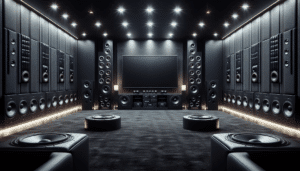
Check acoustics too. Rugs, thick curtains, or simple panels reduce echo. Projectors have fans, so avoid tiny cabinets without airflow. If you want a hush box, we can build one with proper ventilation and never risk overheating.
Step 7: Make it smart, make it easy
Even a simple setup becomes a joy with smart control. Program one button for Movie Night that powers the projector, drops the screen, dims the lights, and sets the AVR input. We support Control4, Apple Home, Google, and Alexa. It’s not required, but once you tap one scene, you won’t go back.
And yes, remotes matter. A well-laid-out universal remote beats phone apps when guests visit. Everyone knows which button starts the show.
Seasonal and local tips for Salt Lake City homes
Our altitude means bright sun and more vivid reflections. If your screen faces windows, consider an ALR screen and side curtains. Winter brings dry air; dust builds fast. Clean the projector filter every few months and keep vents clear. Summer heat in attics can creep into ceiling spaces, so leave room for ventilation around the projector mount plate or cabinet.
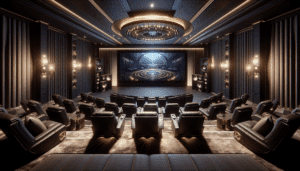
Basements are our secret weapon. They’re naturally dark and quiet, perfect for a real home theater. Just plan for a dehumidifier if needed and check that your seating’s back row has a clean sightline over the front row.
Quick troubleshooting cheat sheet
- Image looks dim: Check Eco mode, clean the filter, and close blinds. If the room is bright, raise lumens or use an ALR screen.
- Picture won’t fill the screen: Recheck throw distance and zoom. Use lens shift before keystone. Keystone only as a last resort.
- No signal: Try shorter HDMI or active/fiber HDMI. Confirm the source is 4K HDR and the AVR passes 4K 60/120.
- Fan too loud: Switch to a lower lamp mode or better ventilate the space. Don’t block vents.
- Motion artifacts: Turn off heavy smoothing for movies; use mild settings for sports.
When a pro makes sense
Some installs are simple. Others involve vaulted ceilings, motorized screens that recess into the ceiling, or 2.35:1 cinemascope setups with masking and an anamorphic lens. If you’re juggling hidden wiring, multiple rows of seating, or room acoustics, it’s faster and safer to bring in a team that does this daily.
AZP Home Theaters & Automation handles the full picture: layout, power, cable routing, projector mounting, screen installation, calibration, and smart control. We work across Salt Lake City, from Sugar House bungalows to Daybreak family rooms and Park City getaways. We’ll make it look like it grew there.
Bring the big screen home—we’ll help you do it right
If you’re ready for a crisp, cinema-sized picture without the guesswork, we’re here. Whether you want guidance or a full white-glove install, AZP Home Theaters & Automation makes Salt Lake City projector installation simple and stress-free. Call us at 385-475-3549 or tap Request a Free Quote to get started. Tell us your room, your screen goals, and your style—we’ll bring the gear, the know-how, and a neat finish that feels custom-made for your home.