If you’ve ever stood in an aisle staring at rows of cables wondering which one actually matters, you’re not alone. Cables aren’t the flashy part of a theater, but they carry every pixel, pulse, and note to your Screen and speakers. Choose them well, and your system just works—quietly, reliably. Choose them poorly, and you’ll chase gremlins for weeks. At AZP Home Theaters & Automation here in Salt Lake City, we help homeowners pick the right paths for their signals, so movie night feels effortless.
First things first: what each cable does
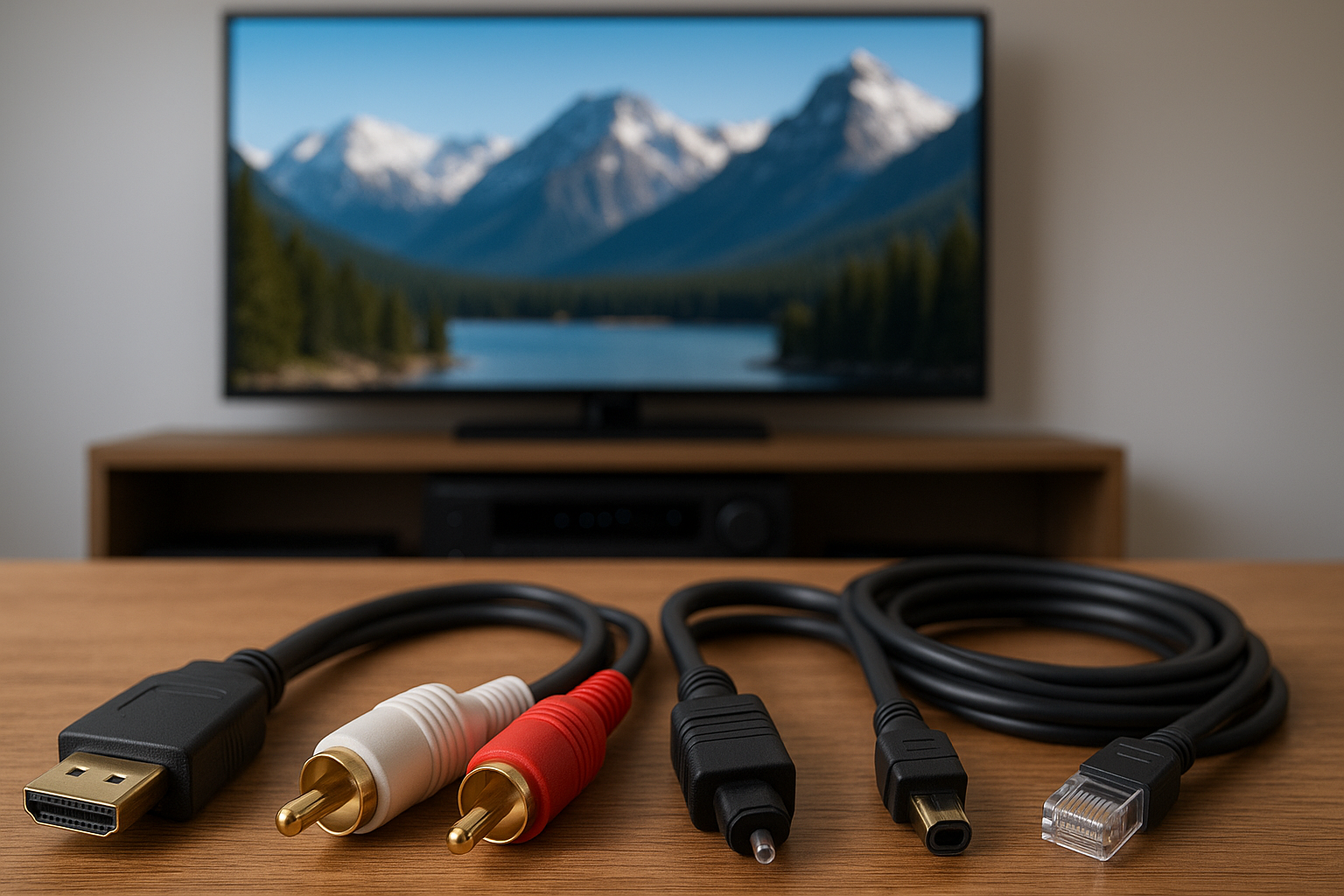
Let me explain the big picture. Every cable has a job. Some carry video and control. Some carry power. Others carry low-noise audio to a subwoofer that makes the room shiver. Get the job-to-cable match right, and you’ll hear and see the difference, not because cables add magic, but because they don’t get in the way.
| Cable | Primary Use | Notes |
|---|---|---|
| HDMI | Video, audio, control (ARC/eARC) | Use Certified Ultra High Speed HDMI for 4K/120 or 8K |
| Speaker Wire | Power from amp to speakers | Use 12–14 AWG copper; CL2/CL3 in-wall |
| Subwoofer (RCA) | Low-frequency audio to sub | Shielding matters for long runs |
| Ethernet (Cat6/Cat6A) | Streaming and control | Hardwire for stability; Cat6A for longer or 10 Gb |
| Optical (Toslink) | Digital audio | Good for stereo/5.1, not for high-bitrate Atmos |
| Power | Equipment power, protection | Use surge protection and clean power |
You know what? That’s already most of the puzzle. Now we fill in the details that save headaches, especially in Utah homes with long basement runs and thick walls.
HDMI made simple (and reliable)
Here’s the thing: HDMI looks like one connector, but not all HDMI cables are the same. For modern systems—PS5, Xbox Series X, Apple TV 4K, or 4K/120-capable receivers—choose a Certified Ultra High Speed HDMI 2.1 cable. Look for the official hologram and QR code; you can scan it with the HDMI Cable Certification app. This isn’t a luxury detail. Certified cables cut down on handshake issues, flicker, and “why is it not showing 4K HDR?” moments.
Length matters too. Copper HDMI stays happy up to about 15–25 feet for high-bandwidth 4K/120. For longer in-wall runs, use an active fiber HDMI that’s directional (source to display). For very long distances or tricky routes between floors—common in Salt Lake City basements—consider HDBaseT extenders over Cat6/6A, which can carry 4K plus control over a single network cable.
eARC vs ARC? If you use TV apps for Netflix or Disney+ and want full Dolby Atmos back to your receiver or soundbar, you’ll want eARC and a proper Ultra High Speed HDMI cable. Regular ARC is fine for basic surround but can compress audio.
Brands we trust for HDMI include Monoprice Certified, AudioQuest (Cinnamon, Forest for reasonable price points), and Blue Jeans Cable for their documented specs.
Speaker wire that won’t let you down
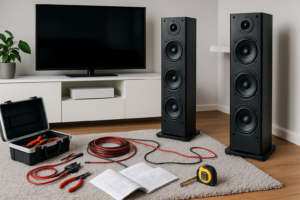
Speaker wire is humble but critical. For most rooms, 14 AWG OFC (oxygen-free copper) does the job. For longer runs or 4-ohm speakers, go with 12 AWG. Avoid CCA (copper-clad aluminum). It’s cheaper, but it adds resistance and can heat up, which is bad for sound and worse for safety.
In walls, use CL2 or CL3-rated cable as required by code. These jackets are made to be safer in a fire and to stay reliable inside the wall. If your return air uses wall cavities as a plenum—occasionally seen in remodeled Utah homes—your installer may call for CMP (plenum-rated) cable, which is even stricter.
Two-conductor versus four-conductor? If you’re wiring volume controls or in-ceiling speakers in pairs, a 4-conductor cable can simplify routing. It also helps if you’re planning a future bi-amp setup. Small detail, big convenience.
Minor note on connectors: banana plugs and spades make life easier and reduce stray wire strands. They don’t change tone, but they do improve reliability at the rack and at the speaker.
Subwoofers and analog interconnects
A subwoofer cable is usually an RCA run from your receiver to the sub. For anything over about 20–30 feet, use a well-shielded coaxial RCA to reject hum. If you’re dealing with very long distances or stubborn ground loops, we can switch to a balanced run (XLR) with the right gear, which is quieter over distance.
For turntables and sensitive analog sources, shielded interconnects matter more than brand hype. Keep them away from power cords when possible, or cross at 90 degrees to reduce interference.
Networking for streaming stability
Wi‑Fi is convenient; Ethernet is steady. When possible, pull Cat6 to streaming boxes, smart TVs, and receivers. It cuts buffering and keeps bitrates high for 4K HDR. If you’re planning a long run or want more headroom for 10 Gb networking down the line, go with Cat6A.
Shielding isn’t always necessary. In most homes, U/UTP (unshielded) performs great and is easier to terminate. Shielded cable (F/UTP) can help in high-interference areas, but it needs proper grounding to work right. We’ll advise based on your layout and panel location.
One more thing: don’t forget a small, reliable switch in the equipment rack. It makes neat work of streaming devices and control processors, so the rack stays tidy and fast.
In‑wall safety and code in Utah homes
Homes along the Wasatch Front have quirks—tall basements, long rambler floor plans, and plenty of retrofits. In walls, stick with in-wall rated CL2/CL3 cable for speakers and low-voltage lines. For return-air spaces, use CMP plenum-rated when required. If you’re going through shared framing cavities, we’ll keep low-voltage away from high-voltage per code.
We also love using conduit (even flexible smurf tube) with a pull string to future‑proof tough runs to projectors and displays. It’s a small cost now that saves big later when formats change—because they always do.
Permits and inspections? For bigger remodels, we’ll coordinate with local requirements so your Salt Lake City home theater is safe and by the book.
Planning runs, distance limits, and interference
Every signal has limits.
HDMI: keep copper short for 4K/120, go active fiber HDMI if you must reach across the house. Speaker wire: larger gauge for longer runs. Subwoofer lines: use low-capacitance, shielded RCA and avoid parallel runs next to power.
EMI happens. We route low-voltage lines away from Romex where possible. If they must cross, crossing at 90 degrees helps. Ferrite cores can tame noisy lines feeding PCs or older cable boxes. It’s not fancy—just effective.
Salt Lake tip: winter air is dry, and static is real. While it mostly zaps people, not gear, we still recommend quality surge protection and smart grounding to keep pops and crackles off your speakers.
When to spend and when to save
Honestly, most people don’t need ultra-premium cables. Spend where performance or reliability truly changes.
- Spend on HDMI when bandwidth matters: Get Certified Ultra High Speed HDMI for 4K/120 and eARC.
- Spend on in‑wall safety: Use CL2/CL3 (or CMP when required). Safety and code come first.
- Spend on long runs: Choose active fiber HDMI or HDBaseT for stability.
- Save on branding: A well-made, documented Monoprice or Blue Jeans Cable often matches pricey names.
A quick myth check: “Cables change the sound.” Not really—unless the cable is the problem. The right cable is invisible: no hum, no dropouts, no weird color shifts. That’s the goal.
Tidy installs: small touches, big results
Clean wiring makes a system easier to use and easier to service. We label both ends of every run, add a little slack at the rack, and bundle with Velcro—never tight zip ties. We also use keystone wall plates and brush plates for a finished look.
If your theater shares space with storage or a playroom, we can route cables high and add cable raceways for a safe, family-friendly setup that still feels custom.
Quick FAQs homeowners ask us
Do I need HDMI 2.1?
If you game at 4K/120 or want full-bandwidth eARC, yes—use a HDMI 2.1 cable with the Ultra High Speed label. For basic 4K/60 streaming, Premium High Speed is fine.
Is optical audio good enough?
For TV-to-soundbar or stereo/5.1, optical works. For Dolby Atmos from TV apps, go HDMI eARC.
Cat6 or Cat6A?
Cat6 covers most homes. Use Cat6A for longer pulls, 10 Gb networking, or when you’re opening walls and want breathing room for the future.
How long can my subwoofer cable be?
With good shielding, 30–50 feet is fine. For very long runs or tricky noise, we’ll look at balanced (XLR) solutions.
Are all speaker wires the same?
No. Use real copper, the right gauge, and the right jacket rating for in-wall runs. That combo lasts and stays quiet.
Ready to make movie night flawless?
Picking the right cables isn’t about spending more—it’s about choosing smarter so your system fades into the background and the story takes over. If you’d like a hand planning runs, selecting the right gauges, or fishing lines through those stubborn basement walls, the team at AZP Home Theaters & Automation is ready.
Call us at 385-475-3549 or Request a Free Quote, and we’ll get your Salt Lake City home theater running clean, quiet, and future‑ready. You bring the popcorn. We’ll bring the signal path that just works.